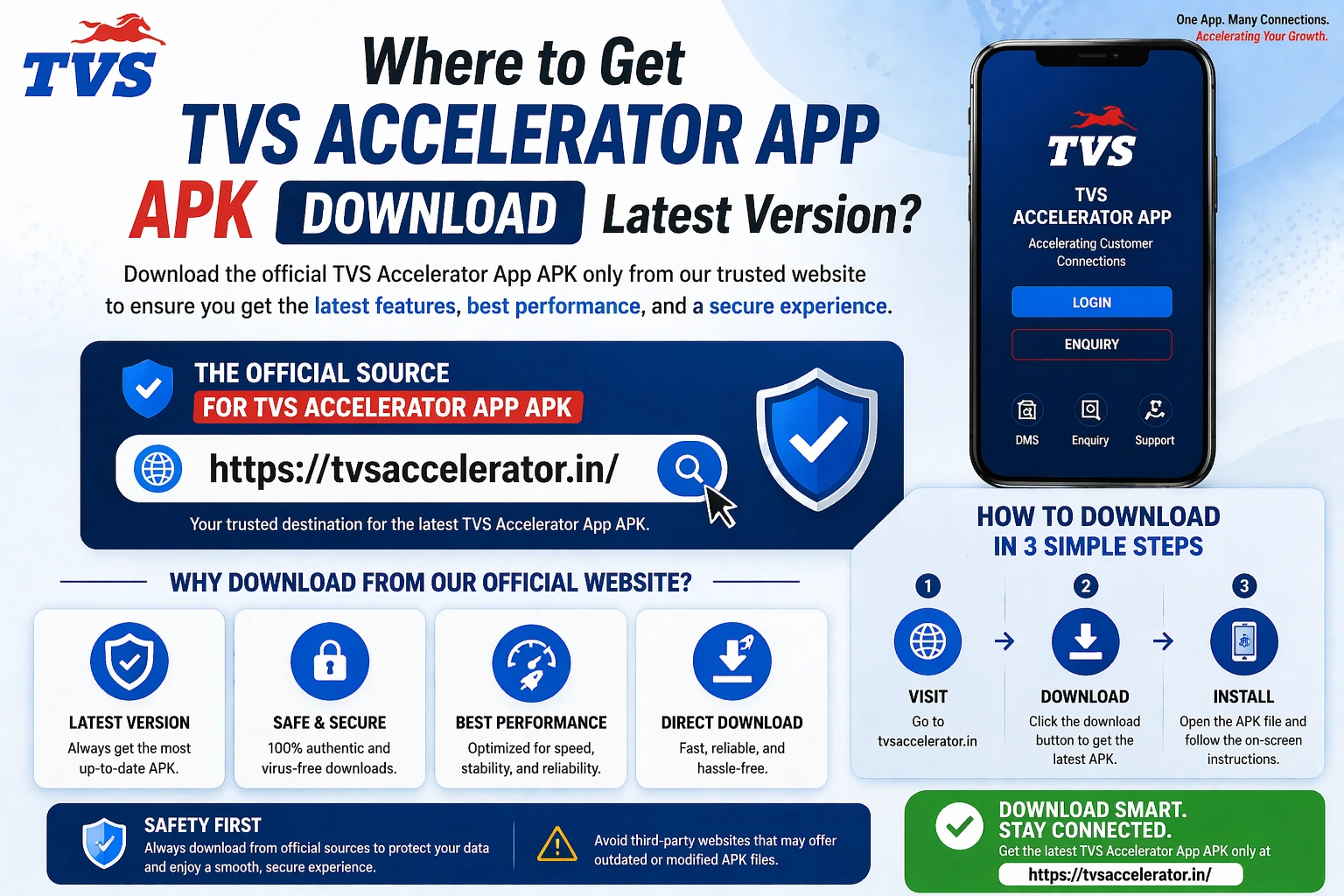
Getting the TVS Accelerator APK is now simple: use the direct APK button on this page, install it on Android, and sign in with your dealer-issued credentials. This guide shows the safe, official ways to obtain the app on Android and the right approach for iPhone and PC, plus how to keep it updated and what warning signs to avoid.
Download the APK, then use your dealer login
Use the direct APK button for Android installation. Your dealership or TVS admin still controls login accounts, passwords and portal permissions.
Where to download the TVS Accelerator app
That is the whole answer in one sentence, and the rest of this page simply explains why it is the right one and how to follow it. The temptation with a tool like this is to grab the first APK a search engine shows you. Resist it. A staff app that asks for a username and password is precisely the kind of software bad actors like to clone, because a fake version can quietly collect every credential typed into it.
Download TVS Accelerator APK 1.0.0
Tap the direct APK button to download the Android installer. After installation, sign in with the dealer credentials issued by your TVS dealership or admin.
The trustworthy sources, ranked
There are only a few sources worth using, and they are easy to remember. In order of preference:
| Source | Why it's safe |
|---|---|
| 1. Your dealership admin | Best for staff. The admin distributes the correct build and creates your account at the same time, so download and access line up. |
| 2. Direct TVS Accelerator APK | The direct APK download URL for version 1.0.0, plus any updated file your dealership admin confirms. |
| 3. Official web portal | When you only need browser access (for example on a PC), skip the installer entirely and sign in on the web. |
Sources you should never use
Random APK mirror sites, links shared in unofficial chat groups, files attached to emails you did not expect, and any page promising a “mod” or “premium unlocked” build. None of these are official, and all of them carry real risk.
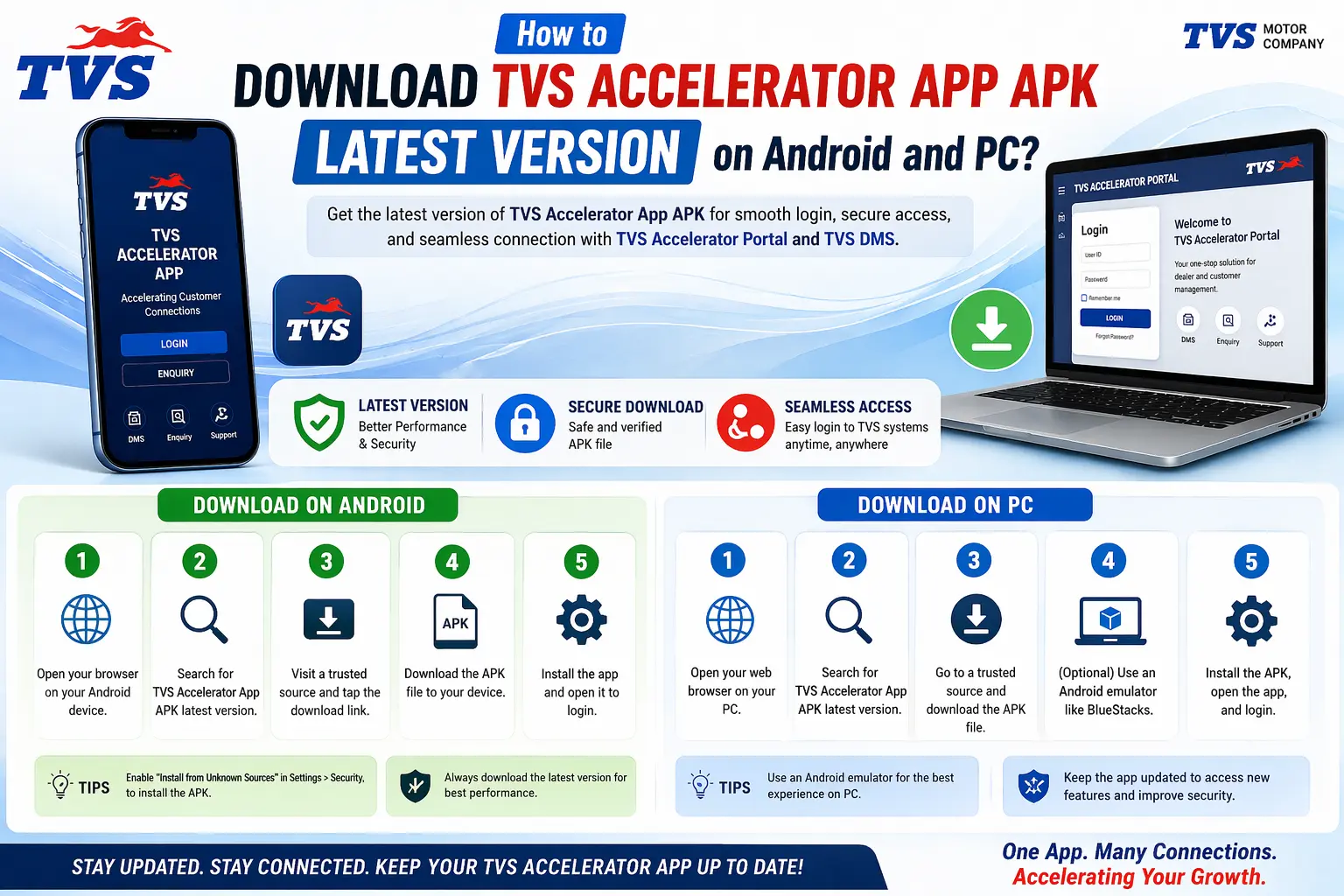
Downloading on Android, step by step
Android is the primary platform for the app. The safe flow is short:
- Confirm with your dealership that an account has been created for you. Without it, the app installs but you cannot sign in.
- Open the direct APK button on this page, or the APK link your dealership provides, rather than searching for a download.
- Confirm the file name and version, then install the APK on your Android device.
- Tap install and let it complete normally. Do not change security settings to allow unknown sources for a file from a stranger.
- Open the app and sign in with the credentials your admin issued.
iPhone and iPad
A native iOS build is not always published for dealer tools like this. On iPhone, check the App Store first using the exact app name. If it is there and published by the trusted source, install it normally. If it is not available, you are not missing out: open the official web portal in Safari and sign in there. The web portal gives you the same core workflow without needing an app at all. The dedicated iPhone guide covers this in detail.
Windows PC and laptop
People often look for a “TVS Accelerator app for PC” expecting a desktop installer. In most cases there is not one, and that is fine. On a computer the natural route is the official web portal in your browser, which is built for exactly this. If you genuinely need the mobile app on a desktop, a reputable Android emulator can run it, but treat that as an advanced option with its own trade-offs. The Windows PC guide explains both paths.
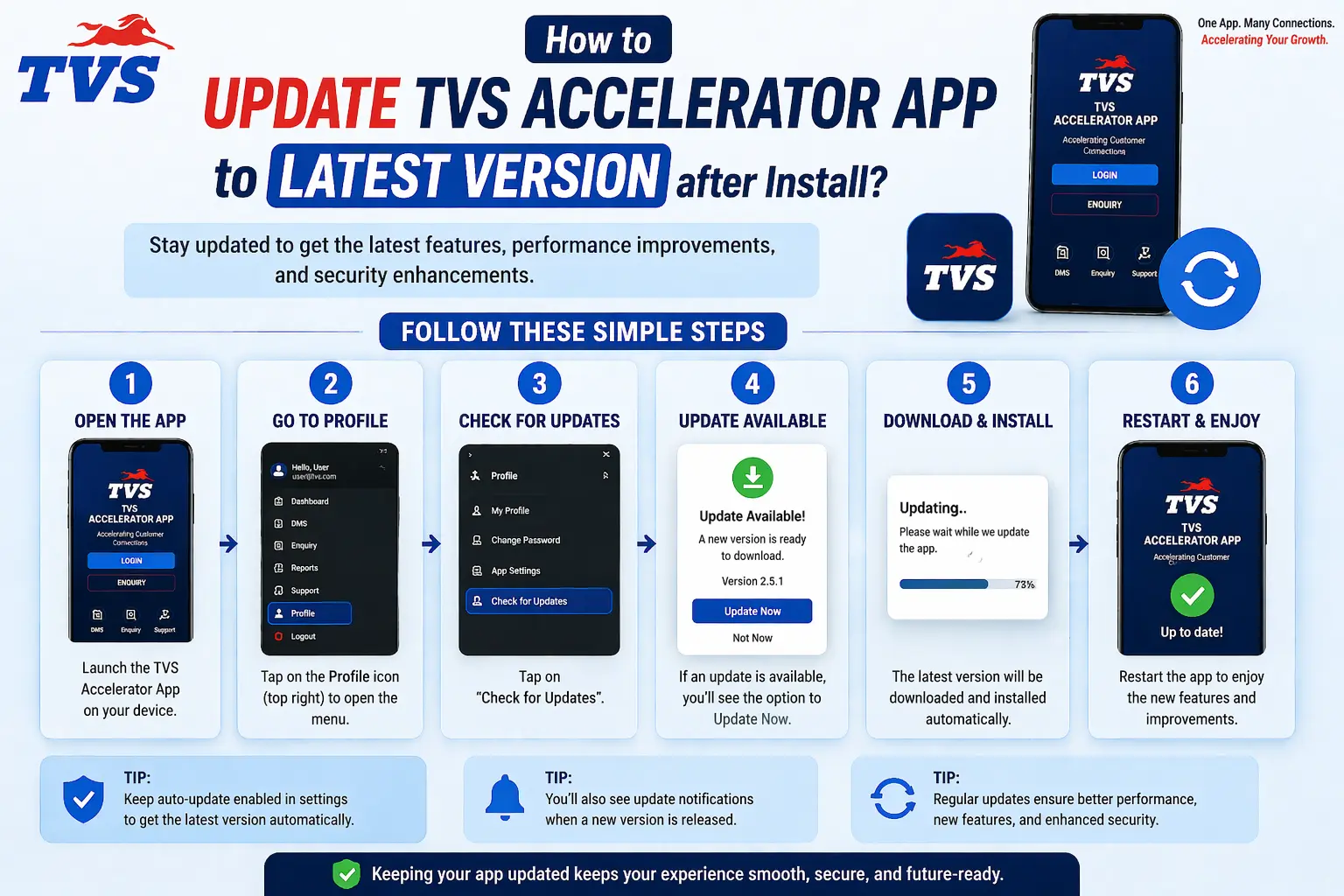
Keeping the app updated
Updates matter more than people think. A current version is not just about new features; it carries security fixes and keeps the app compatible with the systems it talks to. An old build is the single most common reason an app starts behaving oddly or stops signing in.
- Check the direct APK link for a newer version, or wait for the store to prompt you automatically.
- Install the update over your existing app. You do not need to uninstall first.
- Reopen the app and sign in again if it asks you to.
- If something looks broken after an update, contact your dealership admin rather than searching for an older APK to roll back.
How to tell a real source from a fake one
If you are ever unsure about a download page, run through this quick checklist. A genuine source passes all of these; a fake one usually fails several at once.
- The publisher matches TVS Motor Company or your dealership, not an unknown uploader.
- There is a recent, sensible update date rather than a vague “latest version” with no detail.
- You are not asked to disable security protections to install it.
- The page does not push you toward a “mod”, “cracked” or “premium” version.
- Your account and login were arranged through the dealership, not the download site.
When in doubt, ask first
If you cannot tell whether a download is genuine, stop and ask your dealership admin. A two-minute message is far cheaper than cleaning up after installing a tampered app.
What “trusted source” actually means
The phrase trusted source gets used a lot, so it is worth pinning down exactly what it means for this app, because the whole safety case rests on it. An trusted source is one of a small set of channels that genuinely originate from TVS Motor Company or your own dealership.
| APK download | What makes it official |
|---|---|
| Your dealership admin | The person who sets up staff accounts and shares the correct build. The most reliable source for staff. |
| TVS official channels | The app listing or download published through TVS Motor Company's own official properties. |
| The official web portal | For browser access, the official portal address provided to you, bypassing any installer. |
Anything outside this short list, a third-party APK mirror, a file shared in an unofficial group, a download attached to an unexpected message, is not official, regardless of how polished it looks. The test is origin, not appearance.
About the direct APK link
This page now includes the direct TVS Accelerator APK link requested for Android installation. Use it only for the Android app, and remember that the APK alone does not create access. Your user ID, password, portal access and account permissions still come from your dealership or TVS Motor Company. Avoid third-party mirror sites that repackage APK files or ask you to disable protections without a trusted reason.
Convenience with caution
A direct APK button is useful only when the file source is trusted. Treat your dealership admin and official TVS channels as the authority for account access and version confirmation.
What to expect the first time you open the app
Knowing what a normal first run looks like helps you spot when something is off. After installing from an trusted source, opening the app should bring you to a login screen, not a request to grant sweeping permissions or to verify your identity through some external site. You sign in with your dealer-issued credentials, the app checks them against the dealer system, and you arrive at the main screen. If instead you are pushed to enter your login on a web page you do not recognise, or asked to disable security, that is not the genuine flow.
A quick pre-download checklist
Before you install anything, run through this short list. A genuine download passes all of it comfortably.
- My account has been arranged through the dealership.
- I am using the direct APK link or a file from my admin, not a mirror site.
- The publisher and update date look right.
- I am not being told to disable security to install it.
- There is no mod, cracked or premium wording anywhere on the page.
Storage, size and what gets installed
A legitimate dealer enquiry app is not enormous. It installs like any normal app and keeps a modest amount of working data so it opens quickly. If a download claims to need unusual amounts of space, or wants to install extra components alongside itself, treat that as odd. Genuine staff tools are lean, because they lean on the dealer systems for the heavy lifting rather than carrying everything on your phone.
Looking after the app after install
Once the app is installed and working, a little ongoing care keeps it that way. Let it update from the direct APK link whenever a new version appears, since updates carry security and compatibility fixes. Keep your device itself updated for the same reason. And if you ever change phones, simply install the app again from the trusted source on the new device and sign in; because your records live on the dealer systems, nothing is trapped on the old handset. Treat the trusted source as your single point of contact for the app's whole life, from first install to every later update.
Allowing the install on Android the right way
On Android, a genuine app from your dealership admin may occasionally need you to permit installation, depending on how it was shared. There is an important distinction here. Permitting a specific, known file that your own admin handed you is reasonable. Being told by a random website to switch off your protections for its file is not. The difference is who is asking and whether you can trust the exact file. When in doubt, prefer the direct APK link, which avoids the question entirely, and only ever loosen a setting for a file whose origin you are certain of.
Checking which version you have
Knowing how to check your installed version is a small skill that pays off during troubleshooting, because outdated builds cause a surprising share of problems. You can usually find the version number in the app's settings or about screen, and compare it against the latest shown on the direct APK link. If yours is older, updating is often the single fix that resolves login or sync trouble. Make a habit of glancing at the version before assuming something is broken; it is faster than any other fix and costs nothing.
If the download stalls or fails partway
A download that stops halfway is almost always the network rather than the app. A part-finished file can install in a broken state, so it is worth getting this right. Move closer to your router or switch to a stronger connection, delete the incomplete file, and start the download again from the beginning rather than trying to resume a corrupted one. On a shaky mobile connection, waiting for stable Wi-Fi is faster overall than fighting repeated failures. If the direct APK link itself will not load, that is usually a passing network or store hiccup, so give it a few minutes and retry before assuming anything is wrong with your device.
After you download
Once the app is installed from a source you trust, the next step is signing in. Head to the login guide for how credentials work and how to fix the most common sign-in errors. And if you are setting up on a particular device, the Android, iPhone and Windows guides each pick up exactly where this one leaves off.