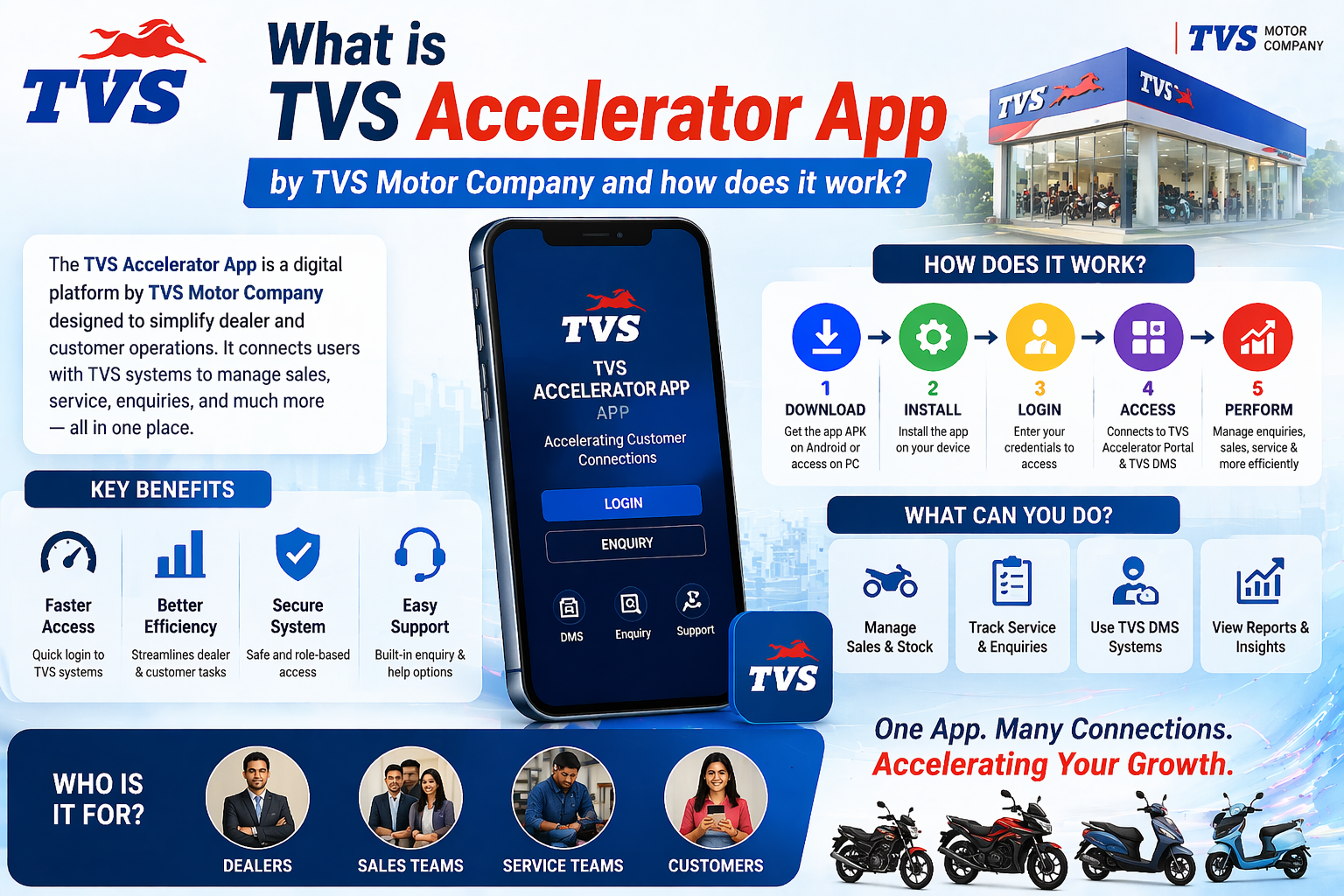
If you keep seeing the TVS Accelerator app mentioned alongside the TVS DMS, and you are not sure how the two relate, this explainer is for you. Understanding the system behind the app makes everything else, from why login is strict to where data lives, finally click into place.
What is the TVS DMS?
Every organised dealership needs a central place to keep its records straight. That is what a Dealer Management System is. It is not one feature but a hub that ties together the moving parts of running a dealership: who walked in today, which vehicles are in stock, what services are booked, and which customers are due a follow-up. Without it, a busy outlet would drown in spreadsheets and sticky notes.
What a DMS typically covers
The exact modules vary, but a dealer management system generally spans a few familiar areas. Seeing them laid out makes it obvious why access has to be controlled.
| Module | What it handles |
|---|---|
| Sales | Enquiries, leads, bookings and the journey from interest to purchase. |
| Service | Workshop jobs, service history and appointment scheduling. |
| Inventory | Stock of vehicles and parts, so staff know what is available. |
| Customers | Contact details and history that tie all the above together. |
| Reporting | The numbers managers use to see how the dealership is performing. |
Where the Accelerator app fits
Here is the key idea. The DMS is large and mostly lives on desktop systems inside the dealership. The Accelerator app does not try to put all of that on a phone. Instead, it takes one important slice, the part about capturing enquiries and staying on top of customer follow-ups, and makes it mobile. A sales executive can record a walk-in or update a lead from the showroom floor, and that information flows into the same system the desktop DMS uses.
That is why the app and the DMS share an identity. When you log in to the app, you are not entering a separate little world; you are reaching into the dealership's real system through a smaller, friendlier door. It also explains the security posture. Because the DMS holds genuine business and customer data, TVS and dealerships are careful about who can open that door, which is why accounts are issued rather than self-created.
One system, many doors
Think of the DMS as a building and the Accelerator app as one entrance built for people on the move. The desktop DMS is the main entrance. Both lead to the same rooms; they just suit different situations.
Why this matters to you
Knowing the relationship is not just trivia. It changes how you solve problems. If your login fails, you now understand it is an account issue inside a real business system, not a quirk you can fix by reinstalling. If you wonder why there is no public sign-up, you understand it is because the system is not meant for the public. And if a website offers you a shortcut into “TVS DMS” without going through your dealership, you now understand why that should make you suspicious.
How legitimate access works
Access to anything connected to the DMS runs through the dealership. A new staff member is set up by an admin, who creates the account and shares credentials. From there, the same identity works across the app and the web portal. There is no legitimate path that involves downloading a random file from an untrusted site and typing your details into it. If anything ever asks you to do that, stop.
Download the APK, then use your dealer login
For genuine app and portal access tied to the DMS, always go through your dealership or tvsmotor.com or your authorised TVS dealership.
DMS, CRM and the app: untangling the terms
People often mix up a few terms when talking about dealership software, so it is worth separating them. A Dealer Management System (DMS) is the broad back-office platform covering sales, service, inventory and more. Customer relationship management (CRM) refers specifically to the part that tracks leads, enquiries and customer follow-ups. The Accelerator app mostly surfaces that CRM-style slice on a phone. So when someone says the app is for enquiries, they are describing its CRM function, which lives inside the wider DMS.
| Term | What it refers to |
|---|---|
| DMS | The whole back-office platform a dealership runs. |
| CRM | The customer and lead-tracking part within it. |
| Accelerator app | A mobile window onto the enquiry and follow-up side. |
Who uses which part of the system
Different roles in a dealership lean on different parts of the system, which is exactly why access is controlled by role. A quick picture helps explain why your view of the app might differ from a colleague's.
- Sales staff use the enquiry and follow-up features most, often on the move through the app.
- Managers lean on reporting and oversight, usually from a desktop.
- Service teams work with the workshop and scheduling side of the DMS.
- Admins manage accounts, roles and the setup that ties it all together.
The Accelerator app is aimed squarely at the first group, the people capturing and chasing enquiries, which is why it focuses on that workflow rather than trying to expose the entire system.
Where your data actually lives
One practical consequence of this architecture is worth dwelling on: your records do not live only on your phone. When you capture an enquiry in the app, it flows into the dealership's systems, the same systems the desktop DMS uses. That is why you can switch phones without losing anything, why a manager can see the same information from a computer, and why losing your handset does not mean losing your work. It also reinforces why login matters so much: the app is a door to shared business data, not a private notebook on your device.
Why dealerships moved to systems like this
It is easy to take a system like this for granted, but it solved a real problem. Before centralised dealer management software, a busy outlet juggled paper forms, separate spreadsheets and memory, which meant lost leads, missed follow-ups and no clear picture of performance. Pulling everything into one connected system meant nothing fell through the cracks and managers could finally see what was happening across sales, service and stock. The mobile app is simply the latest step in that story: taking the most time-sensitive part, customer enquiries, out of the back office and into the hands of staff wherever they are.
Common misconceptions about the app and DMS
A few myths are worth clearing up. The app is not a separate product you can buy off the shelf; it is tied to a dealership's system. It is not open to the public; there is no consumer sign-up. And it is not something you fix by downloading a different version, because the parts that go wrong, accounts and permissions, live on the system, not in the file on your phone. Holding these straight in your head saves a lot of wasted effort and steers you away from the undirect APK downloads that promise shortcuts they cannot deliver.
How mobile changed dealer workflows
The move from desktop-only systems to mobile access changed how dealership staff actually work, and understanding that helps explain why an app like this exists at all. A sales executive no longer has to remember a walk-in and type it up later at a shared computer; they can capture it on the spot, while the detail is fresh and the customer is in front of them. Follow-ups can be checked between conversations rather than only at a desk. The result is fewer lost leads and more timely contact, which is the whole point. The app is not a gimmick; it removes the gap between something happening and it being recorded.
Questions worth asking your dealership about access
If you are new to the app or setting up access, a short conversation with your dealership saves a lot of guesswork. A few questions cover almost everything you need to know.
- Has an account been created for me, and what is my user ID?
- Should I use the app, the web portal, or both for my role?
- What does my role let me see and do in the system?
- Who do I contact if my login fails or my password needs resetting?
- Is there a managed device I should use, or do I set it up on my own phone?
Getting clear answers up front means you start on solid ground, knowing where access comes from and who to turn to, which is exactly the footing that keeps you away from unofficial shortcuts later.
Why there is deliberately no public version
People occasionally wish there were a public version of a tool like this, and it is worth explaining why there is not, because the absence is a feature rather than an oversight. The app exists to work with real customer and business data inside a dealership. Opening that to the public would mean exposing exactly the information the system is built to protect. So access is limited to staff, issued through the dealership, and tied to roles. If you are a customer rather than staff, the right path is TVS's public customer channels, not this internal tool, and any site offering you public access to it should be treated with suspicion.
The takeaway
The Accelerator app is best understood as the mobile face of a slice of the TVS Dealer Management System. That single framing answers most of the questions people have: why login is strict, why accounts are issued, why your data is taken seriously, and why trusted sources are the only safe way in. If you want the practical steps next, the login guide and download guide build directly on what you just read.