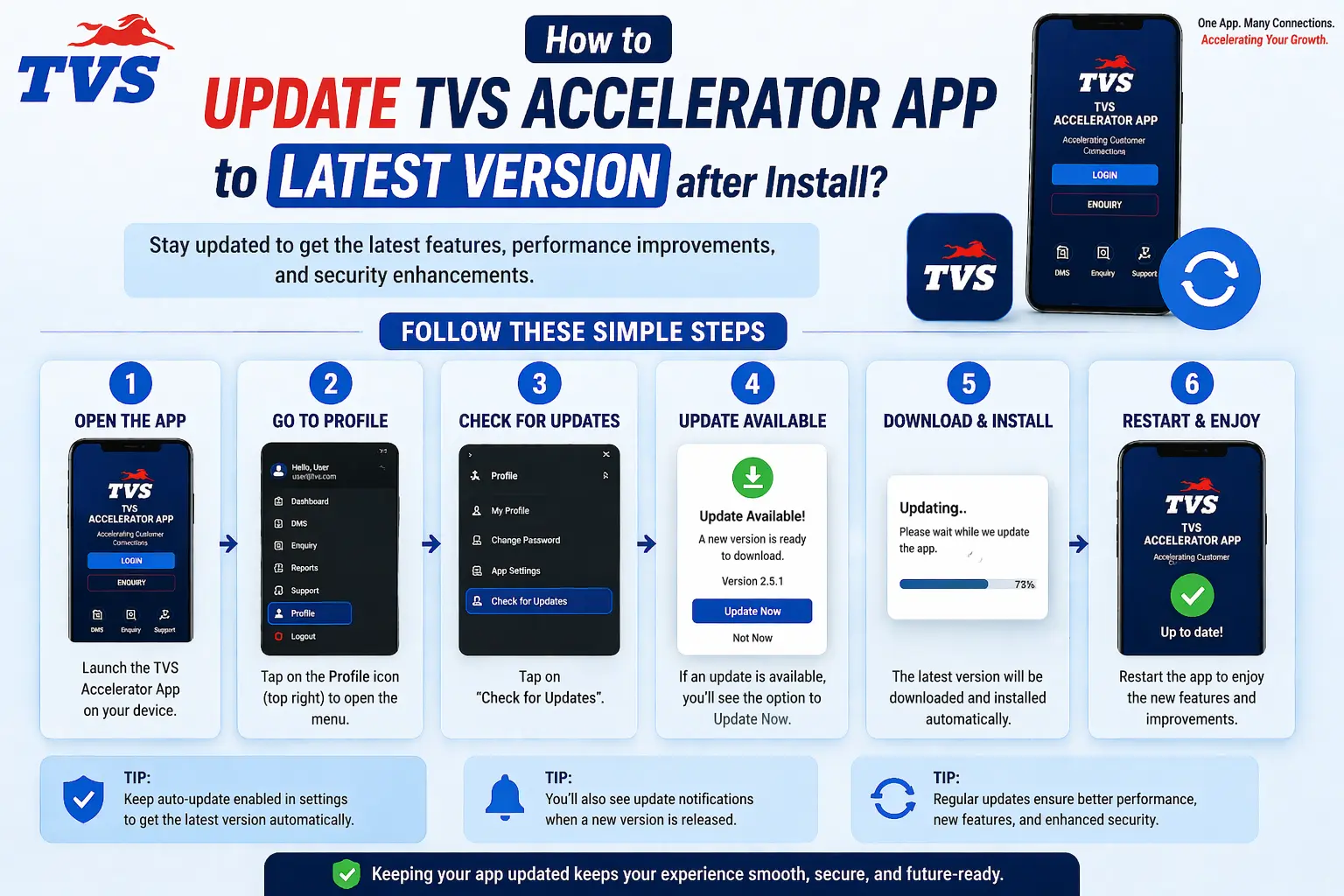
When the TVS Accelerator app will not download, open, or log in, it is tempting to try a different APK and hope for the best. Don't. Almost every problem has a real cause and a safe fix. This complete checklist walks through them in order, from the most common to the rare.
The quick triage
Before diving into specific symptoms, run the four quick checks above. They are responsible for the overwhelming majority of issues, and ticking them off first saves you from complicated fixes you do not need. With those in mind, find your exact symptom below.
Problem: it won't download or install
If you cannot get the app onto your device, the issue is almost always the source or the device, not a missing magic link.
- Confirm you are using the direct APK link or a file from your dealership admin, not a mirror site.
- Check you have enough free storage; a nearly full phone often fails to install.
- Make sure your device meets the basic requirements, especially a supported OS version.
- If a page told you to disable security to install, stop — that file is not one to trust.
Problem: it installs but won't open or crashes
An app that installs and then immediately closes is a classic sign of a tampered or mismatched file, or simply an outdated build.
- Uninstall the app completely.
- Reinstall the current version from the trusted source only.
- Restart your device, then open the app again.
- If it still crashes, note your device and OS and ask your dealership admin whether your setup is supported.
Problem: it won't let you log in
This is the big one, and it is usually about the account rather than the app. Reinstalling endlessly will not help if no account exists for you.
| Symptom | Fix |
|---|---|
| Invalid credentials | Re-check for typos and capitalisation; ask the admin to reset if needed. |
| Account not found | Your user probably is not set up yet; the admin must create it. |
| Nothing happens | Check your connection and update the app; both block login silently. |
| Keeps logging out | Reinstall the official current build and sign in fresh. |
Don't enter your login on an unofficial fix-it site
If a “solution” to a login problem involves typing your credentials into an unfamiliar site or app, it is not a solution. It is the problem wearing a costume.
Problem: it's slow, stuck, or out of date
Sluggish or stuck behaviour usually traces back to an old version or a poor connection. The app talks to dealer systems live, so it needs both a current build and a stable link.
- Update to the latest version from the direct APK link.
- Switch to a more stable connection and try again.
- Restart the device to clear temporary glitches.
- If problems persist across devices, it may be a server-side issue; check with your admin.
Problem: wrong device for the job
Some frustration is really a device mismatch. If you are trying to use a phone app on a TV, or hunting for a desktop installer that does not exist, the fix is to switch routes. Use the web portal on a computer, the app on an Android phone, and skip Android TV for this kind of tool entirely.
Problem: it worked yesterday, now it doesn't
A sudden failure on something that was fine the day before usually has one of a few mundane causes, not a mysterious fault. Run through these before assuming the worst.
| Likely cause | What to check |
|---|---|
| An update changed something | Make sure you are on the current version; install any pending update from the trusted source. |
| Connection trouble | Test another network; a flaky connection blocks the live sync silently. |
| A server-side change | If colleagues hit the same wall at the same time, it is likely not your device. |
| Password expired or reset | Confirm your credentials still work; an admin reset can log you out. |
Notice that none of these is solved by hunting for a different APK. A sudden break is almost always about a version, a connection, or your account, all of which have safe fixes.
A note on reinstalling: when it helps and when it doesn't
Reinstalling is the reflex fix everyone reaches for, and it does genuinely help with a specific set of problems: a corrupted install, a crash on opening, or leftovers from an old version. What it cannot fix is anything that lives on the system rather than on your device. If your account does not exist, is locked, or has the wrong permissions, you could reinstall a hundred times and nothing would change. So reinstall once, from the trusted source, when the symptom points to a broken app, and stop there. If a clean reinstall does not help, the problem is almost certainly on the account side and belongs with your admin.
One clean reinstall, then escalate
If a single reinstall from the trusted source does not fix it, more reinstalls will not either. That is your cue to contact your dealership rather than keep trying.
Note a few details before you ask for help
When you do reach out to your admin, a little preparation gets you a faster fix. Before you message them, jot down what you were doing when it failed, the exact wording of any error, your device and operating system, and whether anyone else is affected. Those few details often let an admin identify the cause immediately, instead of going back and forth. It is the difference between saying it doesn't work and saying you get account not found on an up-to-date app on your Android phone and a colleague sees the same thing, the second of which practically diagnoses itself.
Preventing problems before they start
Most of the issues on this page are easier to prevent than to fix. A few standing habits keep the app running smoothly: let it update from the trusted source whenever a new version appears, keep your device's own software current, use a stable connection for anything time-sensitive, and never install the app from anywhere but the trusted source in the first place. The single biggest cause of mysterious, hard-to-fix problems is a tampered file from an unofficial mirror, so simply never using one removes a whole category of trouble before it can begin.
The safe-fixes mindset
If there is one idea to carry away from this checklist, it is that every genuine fix keeps your credentials safe. Updating from the trusted source, checking your connection, confirming your account with an admin, none of these ever involves typing your password into something unfamiliar. The moment a supposed fix asks you to download a strange file or enter your login on an unofficial page, it has stopped being a fix and become the very risk you were trying to avoid. Safe fixes and effective fixes are, happily, almost always the same thing here.
When to escalate to your dealership
Some things genuinely are not yours to fix, and recognising them saves hours. Escalate to your dealership admin when your account does not exist or is locked, when credentials need resetting, when the problem appears on multiple devices at once, or when you suspect a server-side outage. The admin can see account and system status that you cannot.
Download the APK, then use your dealer login
For account resets and confirmed app access, your dealership admin and tvsmotor.com or your authorised TVS dealership.
When the problem is the network, not the app
A large share of app trouble is really network trouble in disguise, and it is worth learning to tell them apart. Because the app and portal work with live data, a weak or intermittent connection produces symptoms that look like app faults: actions that hang, a login button that seems to do nothing, data that will not refresh. Before blaming the app, test your connection on something else, try switching between Wi-Fi and mobile data, and move somewhere with a stronger signal. If the symptoms clear when the connection improves, you have found your culprit, and no amount of reinstalling would have fixed it.
Device-specific quirks
Sometimes a problem is peculiar to one device rather than the app in general. A good way to confirm this is to ask whether a colleague on a different phone or computer sees the same issue. If they do not, the cause is likely something on your device: an outdated operating system, a restrictive setting, low storage, or a battery-saving mode interfering with sync. If they do, the problem is more likely with your account or the system itself, which points you toward your admin. This single comparison, does anyone else see this, quickly tells you which direction to look.
Building your own troubleshooting habit
The most useful thing you can take from this page is not any single fix but a calm, repeatable habit. When something goes wrong, resist the urge to improvise with undirect APK downloads. Instead, run the same short routine each time: check the version, check the connection, confirm the account, and compare with a colleague. That routine resolves the overwhelming majority of issues safely, and for the rest it gives you exactly the information your dealership admin needs to help quickly. A steady habit beats a panicked search for a magic file every time.
The takeaway
Resist the urge to solve every problem by downloading another file. Run the four quick checks, match your symptom to the steps above, and escalate account issues to your dealership. That approach fixes nearly everything safely, without ever risking your credentials on an untrusted source. For setup details, the login guide and per-device guides pick up from here.